Case studies / Taking the admin out of research operations
UK Government department, Microsoft Power Apps, 2026
Taking the admin out of research operations
Government services kept contacting the same users, and the shared pool meant to stop it lived in spreadsheets. Researchers spent hours on recruitment admin for every study. Rather than months of procurement and participants' data with another company, I vibe coded a fully working Microsoft Power App for the department to track the pool, consent and every contact.
- Client
- UK Government department
- My role
- Service Designer, Power-app developer
- Built with
- GitHub Copilot in Visual Studio, Power Apps, Power Automate, SharePoint
- Status
- Live and in use by five researchers, expanding as stability is proven
- Duration
- 2026, ongoing
- Outputs
- Participant management app, automations, documentation, iteration and feedback loops
Results
The results
What the work produced.
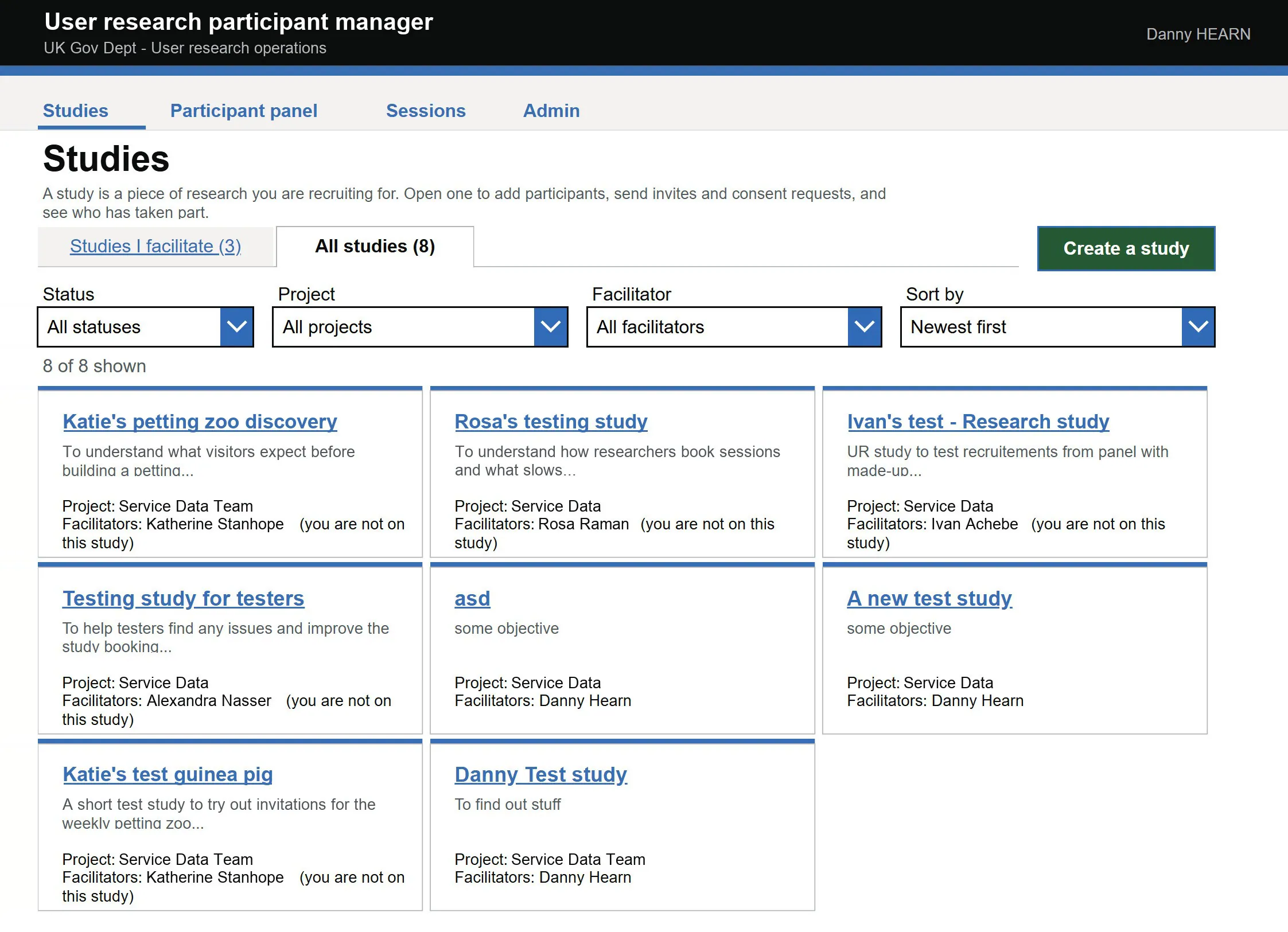
- A fully working Microsoft Power App With similar functionality to commercial off-the-shelf products.
- Live with five researchers Expanding as confidence in it grows.
- More time on research, less on admin Researchers recruit much faster, and spend the time on interviews and scripts instead of spreadsheets, links and back-and-forth over times and consent.
- Wanted across the department Researchers called it really useful, and other areas asked for it in theirs.
- Owned outright, at 150-researcher scale Comparable tools cost £40 to £50 a seat a month. This uses licences already held.
- No third-party data controller Participant data never leaves the department's environment.
The same people, asked again and again
Government services kept going back to the same users: busy professionals who use the service in their day jobs. Over-contacting people was a real worry for the department, so researchers went to great pains to mark who had been asked, in spreadsheets.
That held while the team was small. As the research team grew, several spreadsheets could not keep up: nobody could easily see who had been contacted, who had given consent, or who had asked to be left alone.
Built inside, because buying would take years
Tools such as ConsentKit already do this. Buying one would have meant months, maybe years, of procurement, and participants' personal data held by another company.
So I built it inside the department's own Microsoft 365, on licences it already had, and the data never leaves.
From lists that needed training to an app that explains itself
My first version was lists with automations. Researchers liked it but found it confusing: the flow was hard to follow, setting up a list took a lot of training, the instructions were unclear and the template messages jarred.
Their feedback shaped the rebuild. The breakthrough was working out how to vibe code a proper app, with clear screens for studies, the pool and consent. The lists are still there underneath, and researchers like having that manual view when they need it.
From remembered to enforced
Who could be contacted lived in spreadsheets and memory. Get it wrong and you contact someone who asked not to be.
The tool enforces it: only eligible people are contactable, and cooldowns apply after every interaction. It says no even when a researcher is in a hurry.
From a filtered list to a visible reason
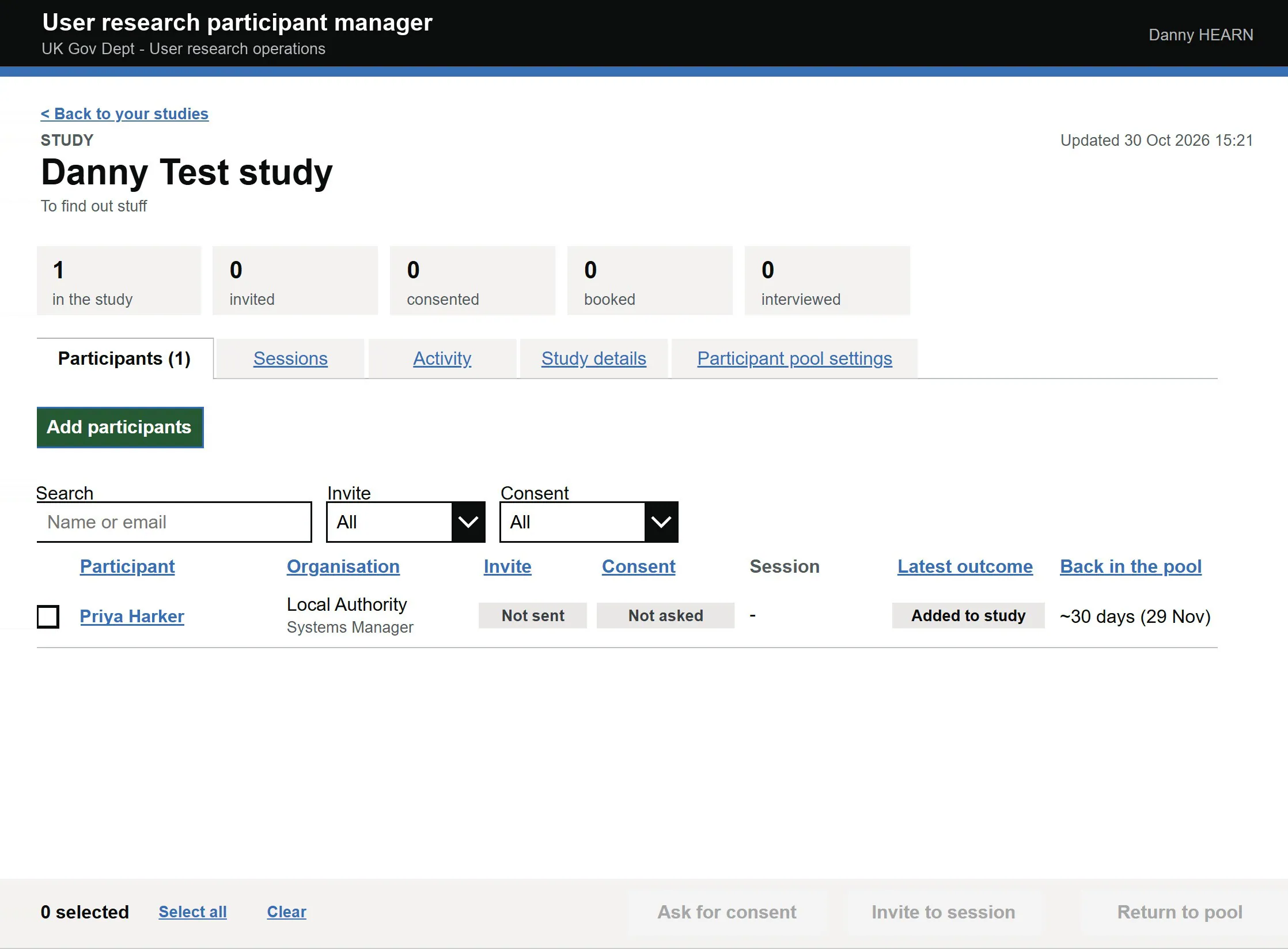
A list that silently hides people looks broken, and researchers work around tools they do not trust.
Anyone who cannot be approached shows why: on another study, consent does not cover this project, or asked not to be contacted.
From yes or no to six permissions
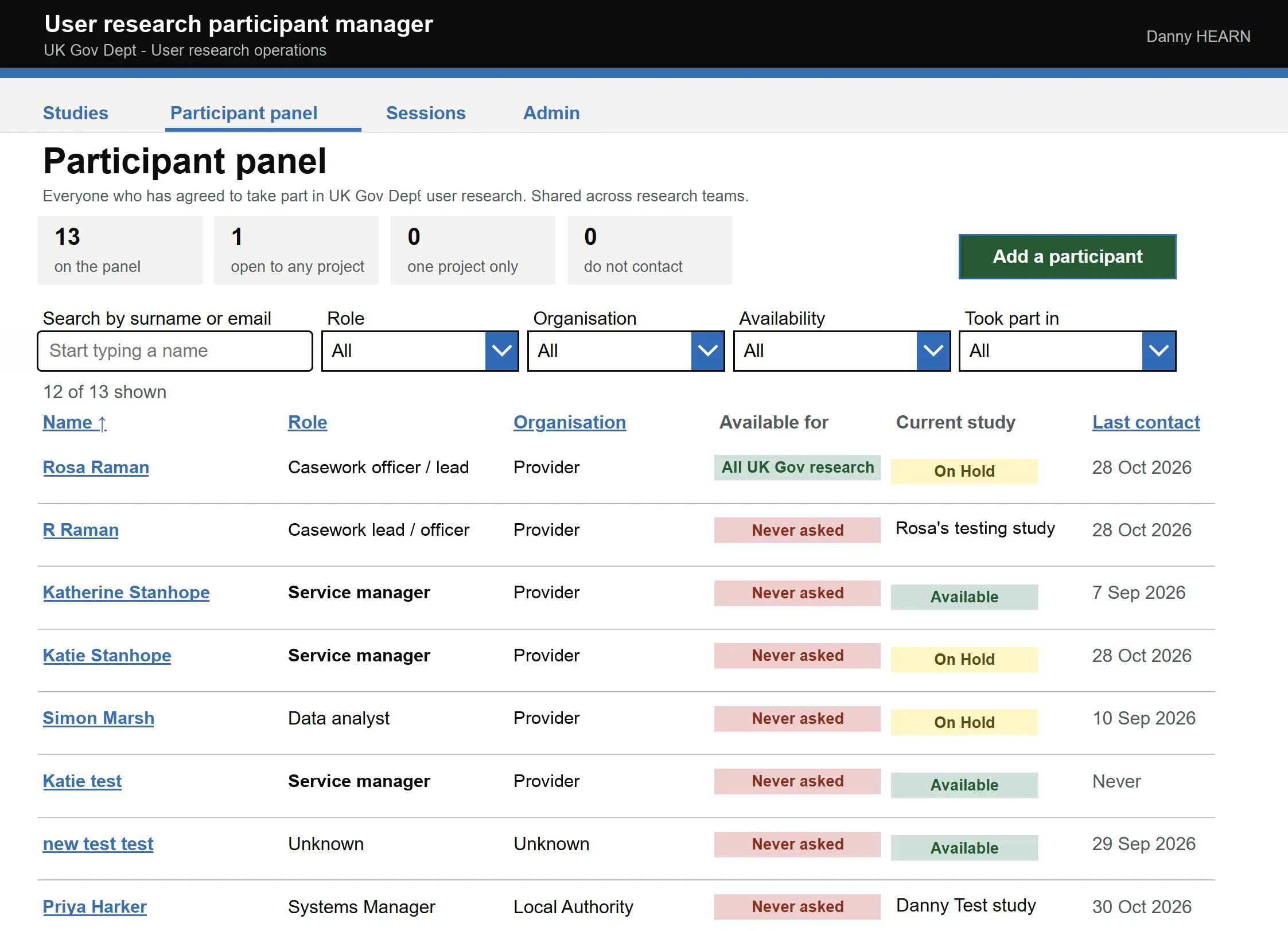
Consent covers separate things: taking part, audio, video, screen recording, observers and sharing. A single yes or no flattens them.
Each is asked for and stored separately, chased automatically before the session, and every change is logged.
From remembering to a prompt
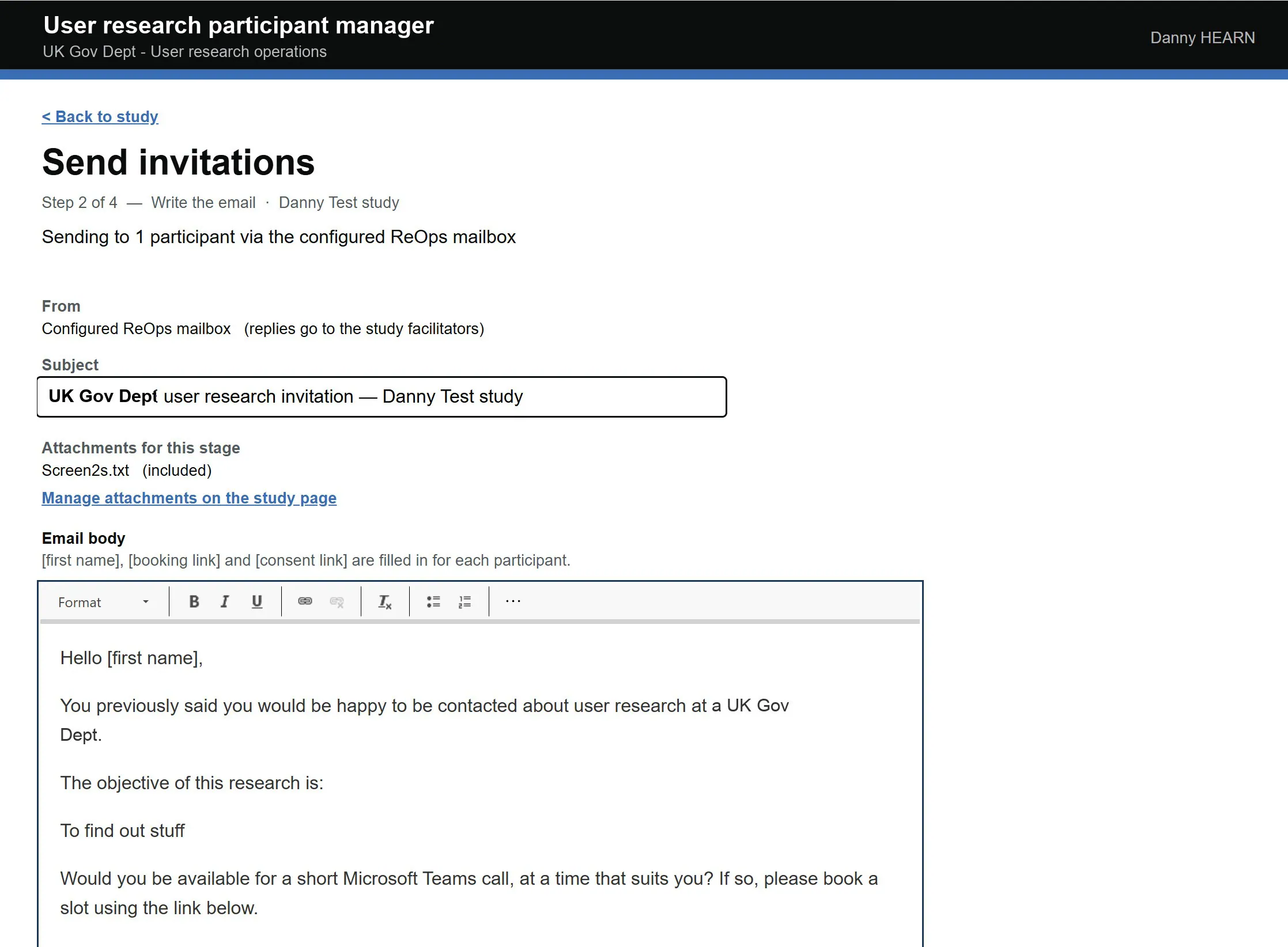
Session outcomes depended on someone remembering to update the spreadsheet.
Two hours after each session the facilitator gets a Teams prompt, and the answer writes straight to the record.
Reflection
What I did not expect
I have built research panels before, at Ofgem and the Department for Transport. This was another level: a panel that runs itself, from recruitment to consent to follow-up, and keeps up as the research team grows.
I expected the interest to be in the tool. It was in how it was made. Researchers said it was really useful, other areas of the department wanted it in theirs, and I was asked to speak about it across the department.
It points to something bigger. Teams used to solve problems like this with spreadsheets, because a proper tool meant procurement. Now a designer can build the custom app with AI, inside the systems the department already has, in weeks rather than the months or years a purchase would take. That feels like a new era.
Next
Let’s build something together that works
Happy to walk through the build, the decisions or what I would do differently in more detail. Or see how I help teams with AI transformation.
Book a 30-min chat →