UK Government department, Microsoft Power Apps, 2026
Developing a UK Gov service front door
The service had grown complex, with lots of internal stakeholders all vying for changes. Requests arrived as Teams messages and emails, requesters spent time working out what had happened to them, and feature sizing meetings took three hours with little progress. My role was to do more than map the service and co-design it. I also built a working front-end application by vibe coding with AI, to help deeply embed the process and change needed.
- Client
- UK Government department, an internal data service
- My role
- Service Designer, Power-app developer
- Built with
- Microsoft Forms, Power Automate, Power Apps, SharePoint, Azure DevOps
- Status
- In use by the whole product team on a government service
- Duration
- 3 days to prototype, 2 weeks to build, 4 weeks to alpha and beta test
- Outputs
- Discovery phases, request workflow, stakeholder form, operating guide, clickable prototype, working app
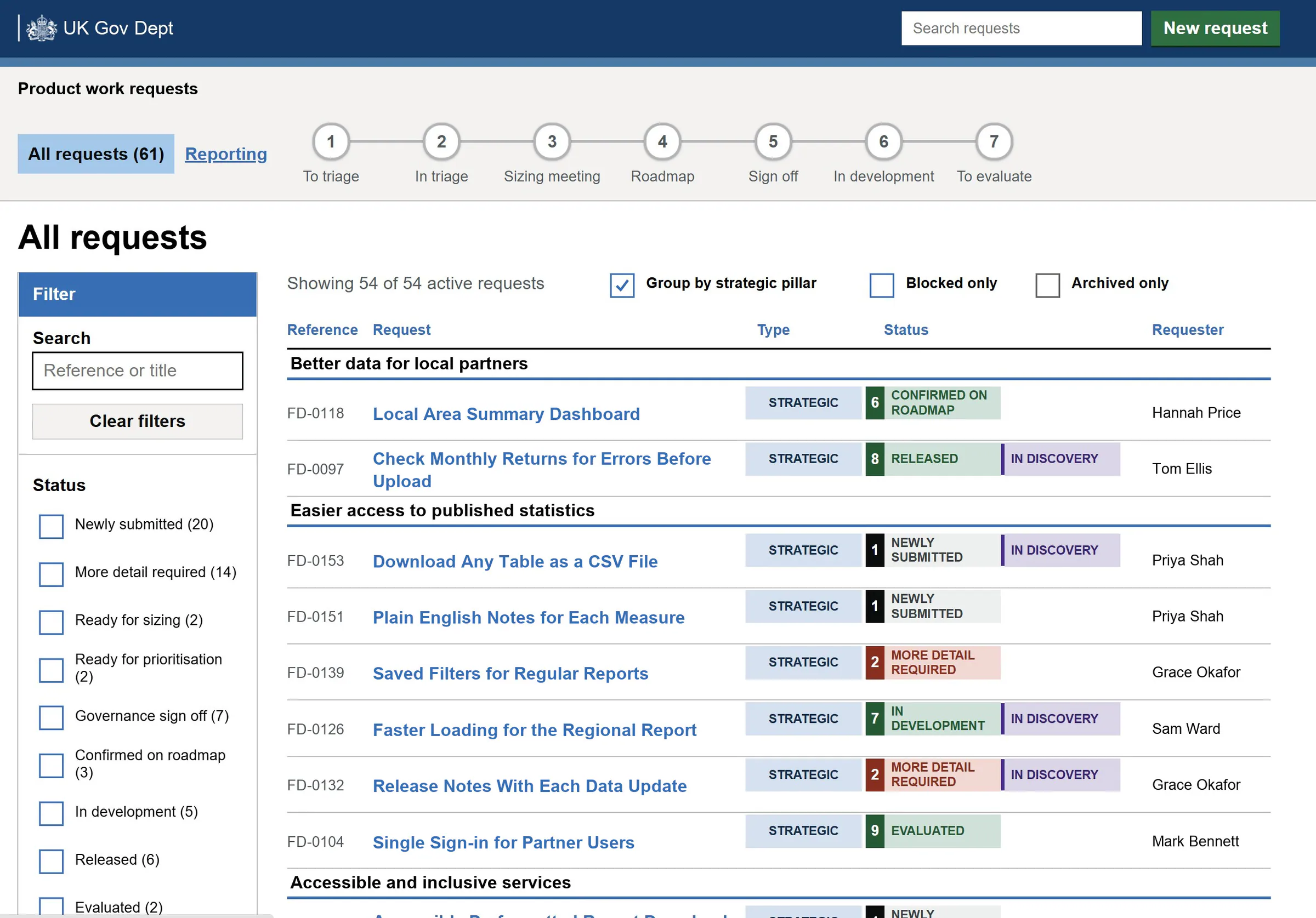
From a spreadsheet to an agreed process
Requests lived in one huge spreadsheet, and sizing meetings took three hours with little progress.
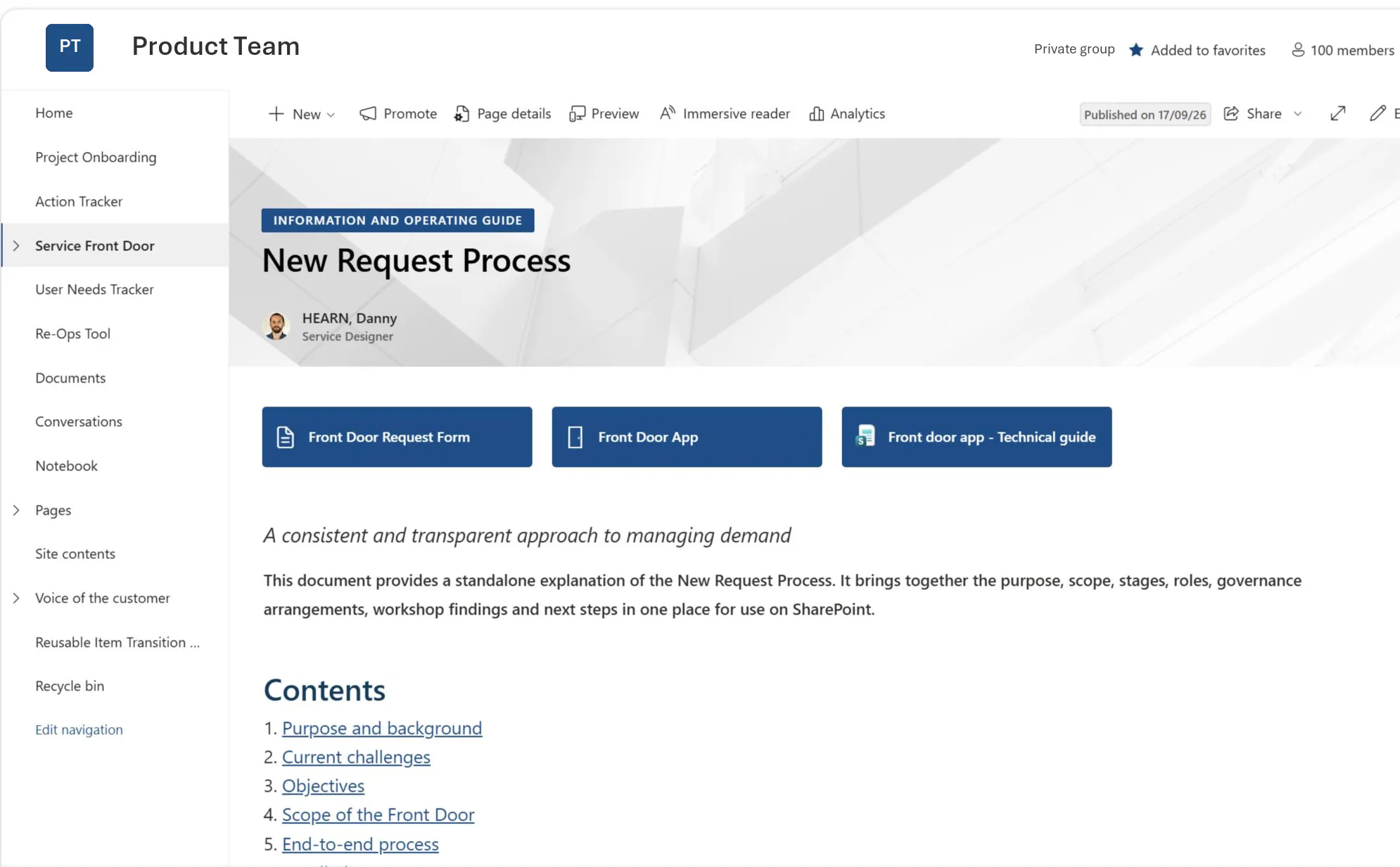
I interviewed the people who asked for changes and the team who made them, prototyped a workflow as a clickable app, shared it round and iterated. Nobody pushed back: the work was getting the group to agree, and to build new habits. The result became an operating guide: stages, roles and governance in one place.
One front door, seven stages
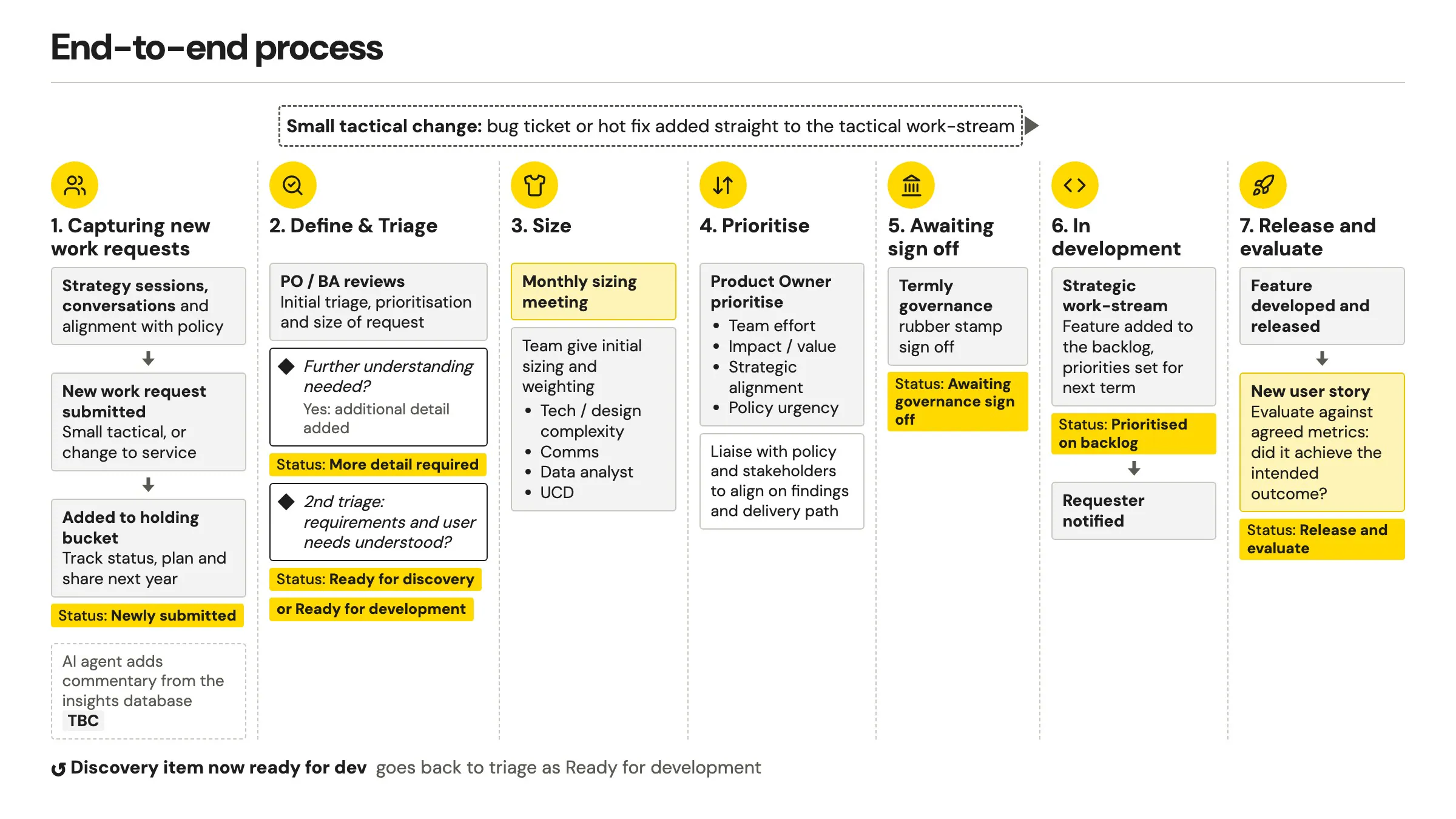
I mapped the whole service before building any of it, from the conversations where requests start to checking that what shipped did its job.
Small tactical fixes take a fast lane. Everything else is triaged, sized by the team, prioritised and signed off. The aim: better prioritise the right features to create the most impact, and give more accurate timelines.
One way in, built around the user need
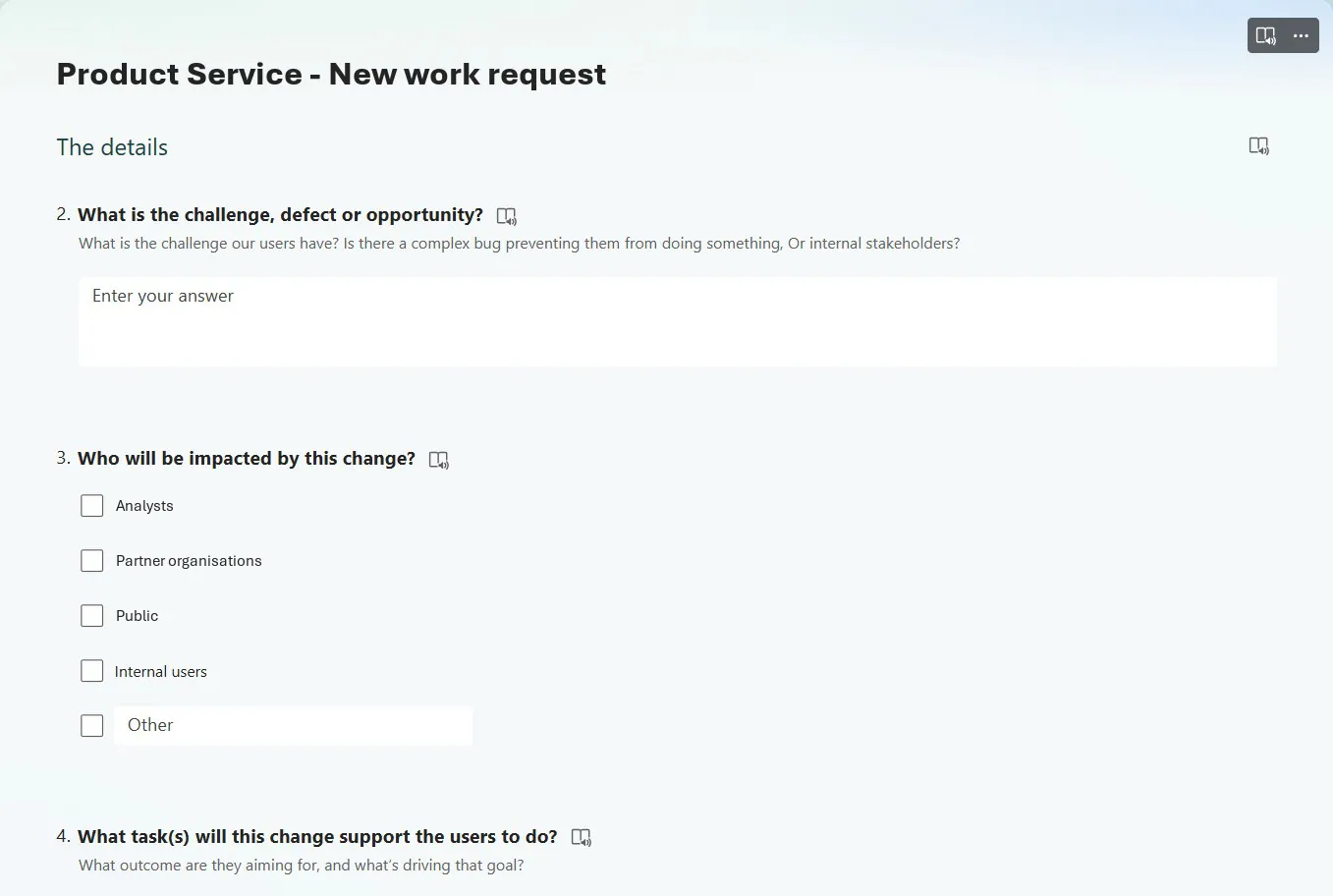
Requests came from anyone: the team itself, other teams across government who needed the service to do something, policy colleagues and the product owner. They sent a Teams message or an email, then spent a long time working out what had happened to it.
I designed one form and worked with the stakeholders to use it. It asks what problem users have, who it affects and what task the change supports, before asking how to solve it.
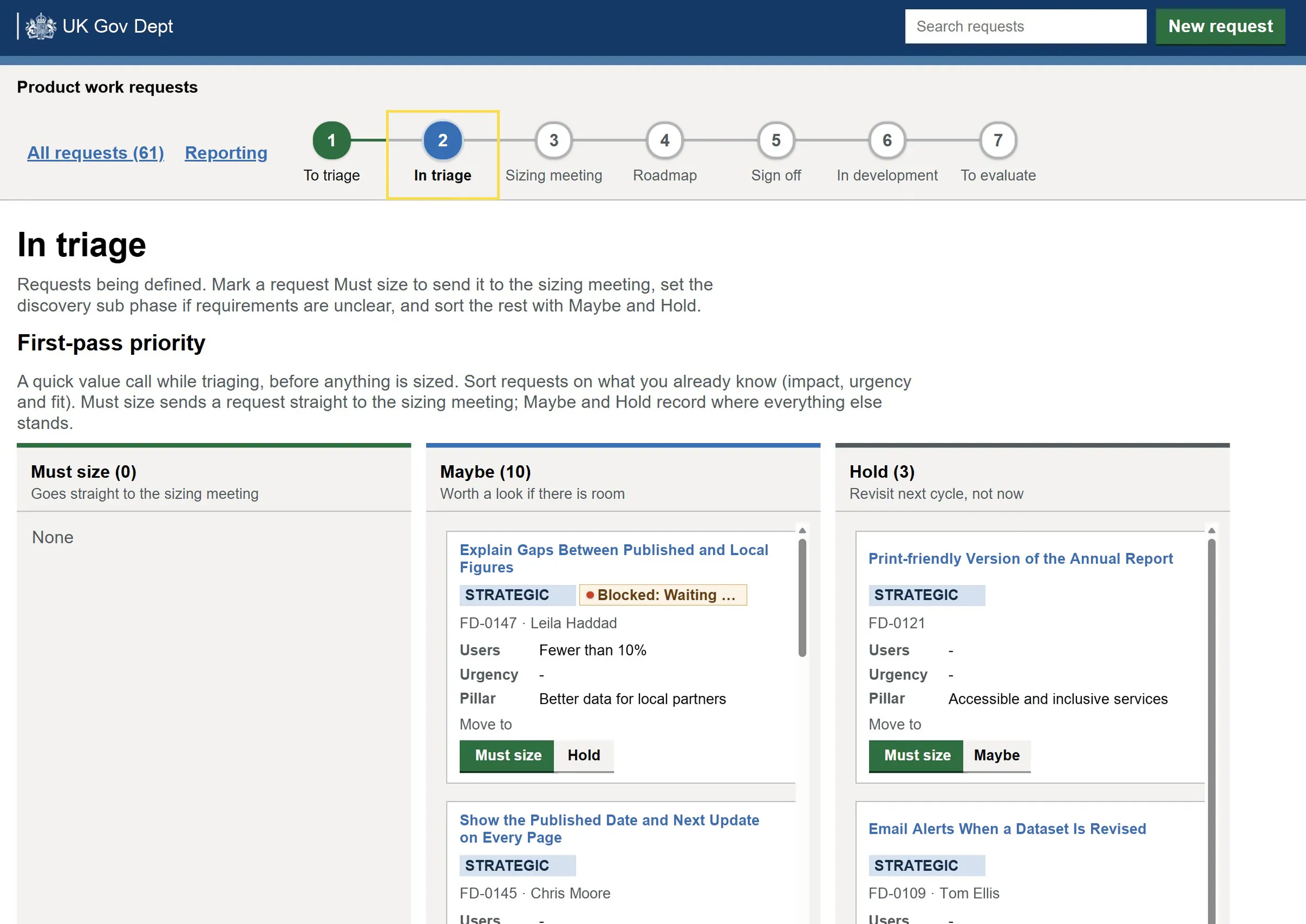
A quick value call before anything is sized
Every request sits in exactly one of the seven stages, visible to everyone.
Triage comes first: must size, maybe, or hold, with the right teams assigned. Requests worth sizing go to a monthly session where we review the priorities together and each team sizes its own share. That session is what made the new habits stick.
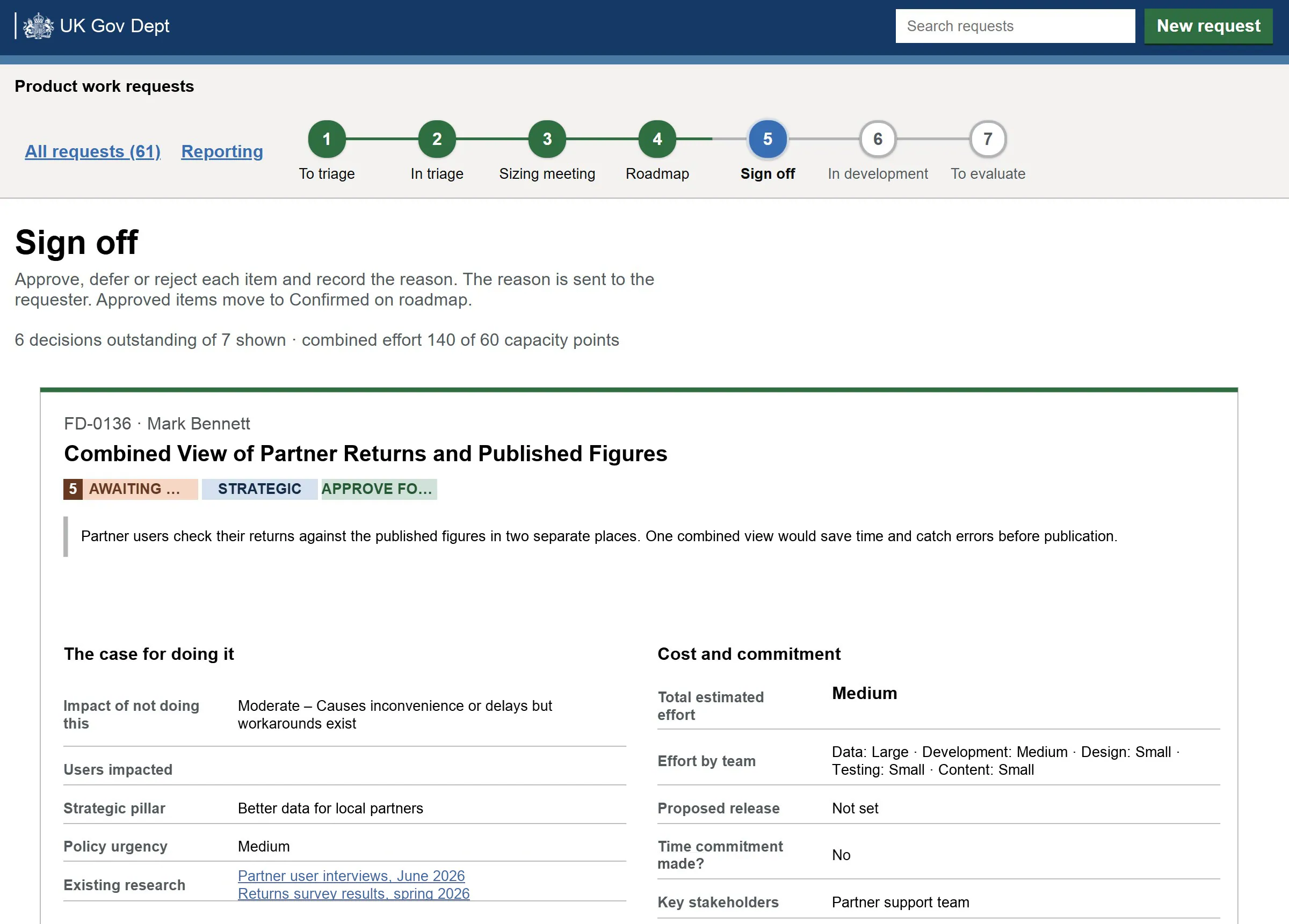
A no that comes with its reason
Several groups compete for the same capacity, and the choice used to live in one inbox.
Sized requests are ranked on a Now, Next and Later roadmap. At sign-off each is approved, deferred or rejected with a reason, and the reason goes back to the requester.
Released is not finished
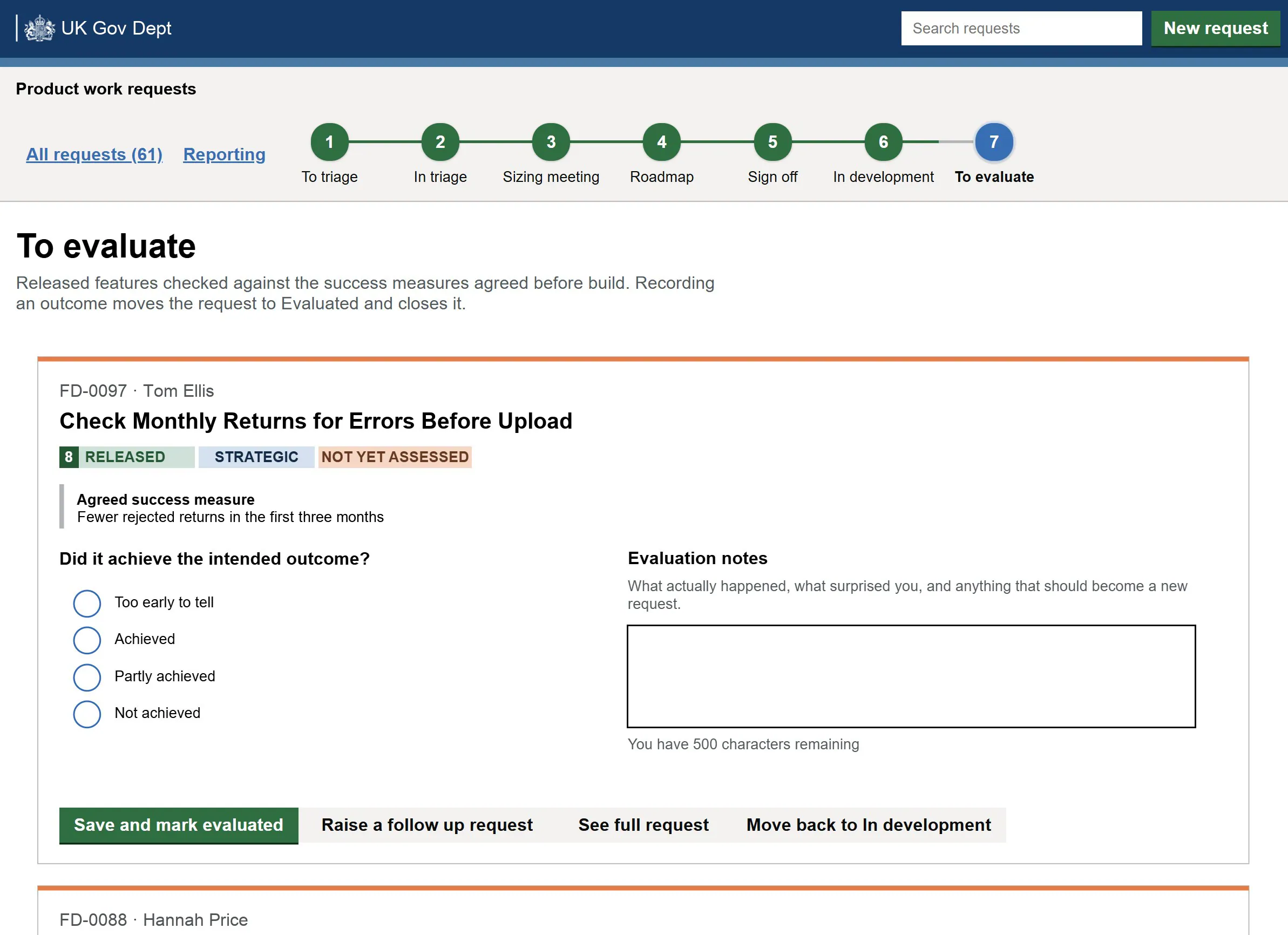
Once a feature shipped, nobody went back to check whether it had done what it was meant to. Delivery was where the work stopped.
I built the review into the process itself. Each request now agrees a success measure before it is built, and after release someone records whether it worked and what surprised them. Anything new becomes a new request, so the team keeps learning from what it ships.